

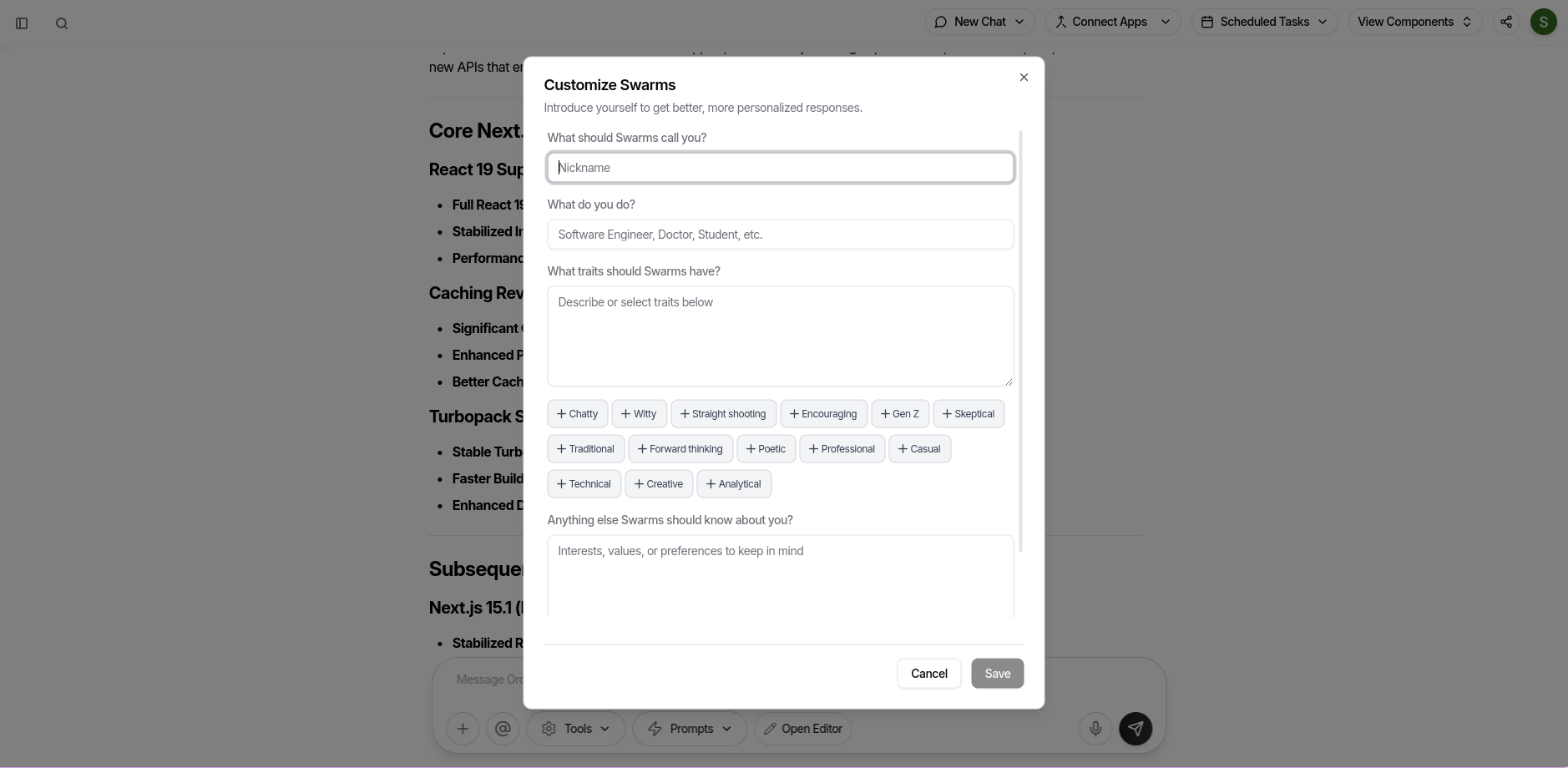
✍️ How Customization Works
- Nickname: Tell Swarms what to call you. E.g., “Bhuvi”, “Dr. Rao”, or even “Captain”.
- Profession: Add your job or area (“Software Engineer”, “Student”, “Designer”) so responses can be more relevant.
- Traits: Choose how the AI talks to you—chatty, witty, technical, traditional, or any style you want.
Use the trait buttons for quick presets or write your own. - Preferences: Any special context, values, or requests? Add them here.
- Advanced Tools: Toggle on extra agent skills like “Swarm” (multi-agent collaboration) or “AI Search” for live web lookups.
🧑💼 Predefined Traits
Pick and combine from traits like:- Chatty – Conversational, engaging
- Witty – Humor and cleverness
- Straight shooting – No sugar-coating
- Encouraging – Supportive and positive
- Gen Z – Speak in Gen Z lingo
- Skeptical – Question assumptions, think critically
- Traditional – More formal
- Forward thinking – Future-focused
- Poetic – Expressive and creative
- Professional – Business-appropriate
- Casual – Relaxed
- Technical – Detail-oriented
- Creative – Lateral thinking
- Analytical – Systematic problem-solving
⚙️ Advanced Tools
- Swarm: Enable multi-agent, collaborative reasoning.
- AI Search: Give the AI permission to use live web search when answering.
🔐 Save & Apply
Hit Save and your choices instantly change how Swarms interacts with you.Use the Cancel button to discard changes.
Tip: The more context you provide, the more personalized and accurate your responses will be.
You’re in full control—make your AI as formal, casual, direct, or creative as you like.